
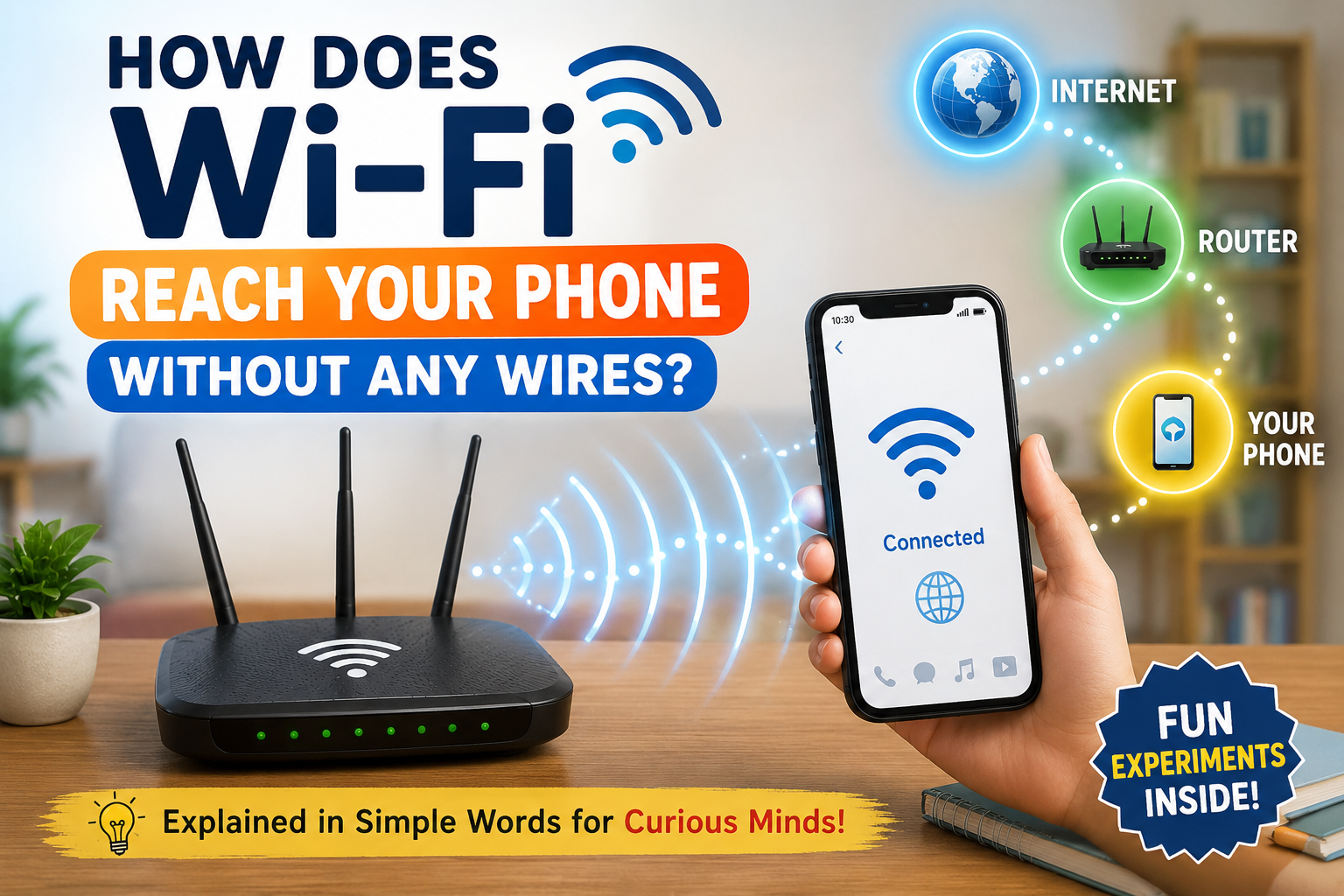
How does Wi-Fi reach your phone without any wires?
Have you ever wondered how your phone can watch YouTube videos, play online games, or browse websites without being connected to a cable? The answer lies in an amazing technology called Wi-Fi.
Imagine you’re sitting on your bed watching YouTube, playing an online game, or chatting with your friends. Suddenly, someone switches off the Wi-Fi router… and everything stops!
But here’s the real mystery:
How was the internet reaching your phone in the first place?
There are no wires connected to your phone. You can’t see anything travelling through the air. So how does your phone receive videos, messages, and games almost instantly?
Let’s solve this amazing mystery together!
Table of Contents
Meet the Wi-Fi Router
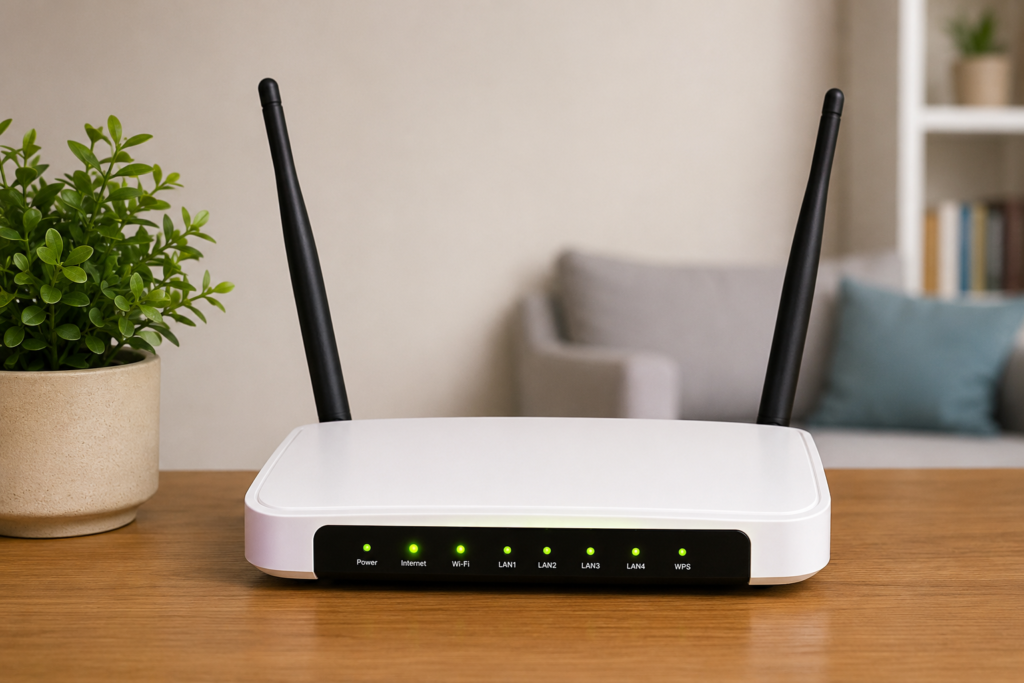
Many people wonder, “How does Wi-Fi reach your phone?” The answer is that your Wi-Fi router sends information using invisible radio waves, and your phone receives those signals through a tiny built-in antenna.
Every home with internet has a small device called a Wi-Fi router.
Think of the router as a post office.
Instead of sending letters, it sends internet information.
Whenever you watch a video, open a website, or play a game, your router receives the information from your internet provider and sends it around your house.
But how does it send the information without wires?
That’s where invisible waves come in.
Invisible Radio Waves Are Everywhere
Have you ever listened to FM radio?
The music reaches your radio without any wires.
Your TV remote sends invisible infrared light.
Your Bluetooth earphones also work wirelessly.
Wi-Fi works in a very similar way.
Instead of sending music, Wi-Fi sends data using radio waves.
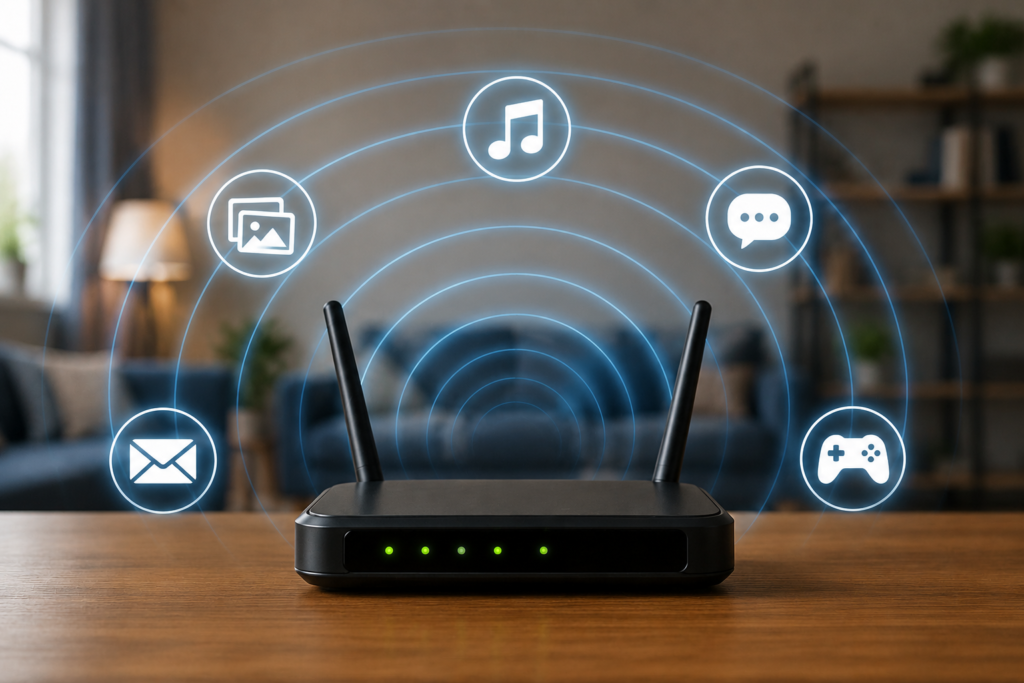
Radio waves are a type of electromagnetic wave. They travel through the air at the speed of light.
The amazing part?
Your eyes cannot see them, but they are all around you.
Even right now, your room is filled with Wi-Fi signals!
What Happens When You Open a Website?
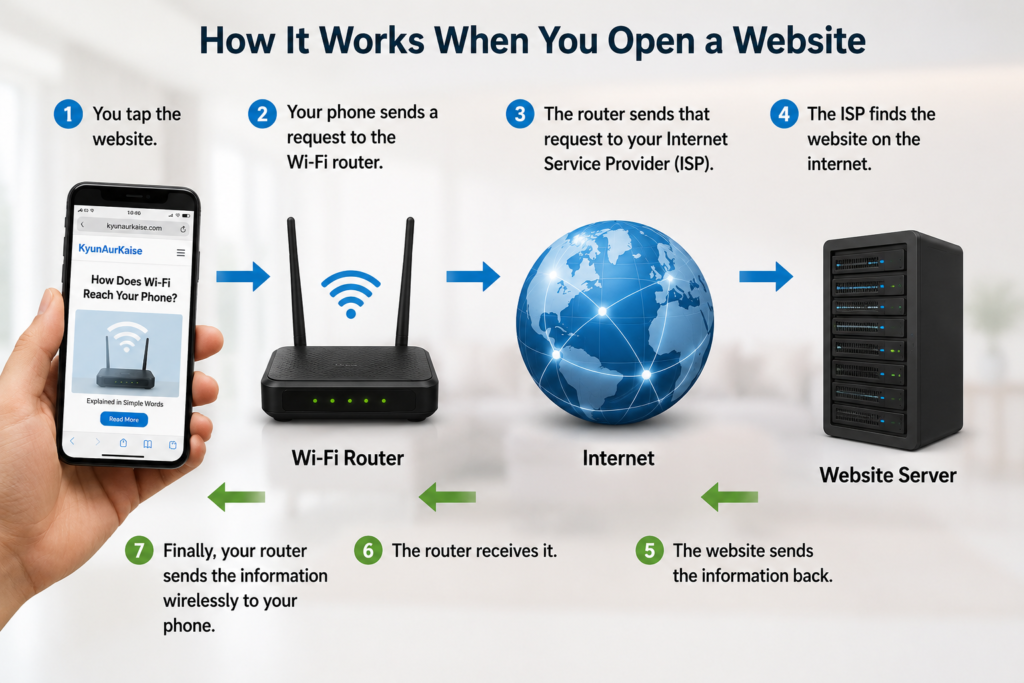
Let’s say you open kyunaurkaise.com on your phone.
Here is what happens in just a few seconds:
- You tap the website.
- Your phone sends a request to the Wi-Fi router.
- The router sends that request to your Internet Service Provider (ISP).
- The ISP finds the website on the internet.
- The website sends the information back.
- The router receives it.
- Finally, your router sends the information wirelessly to your phone.
This entire process happens so quickly that it feels almost instant.
How Does Your Phone Understand the Signals?
Your phone has a tiny part inside called a Wi-Fi antenna.
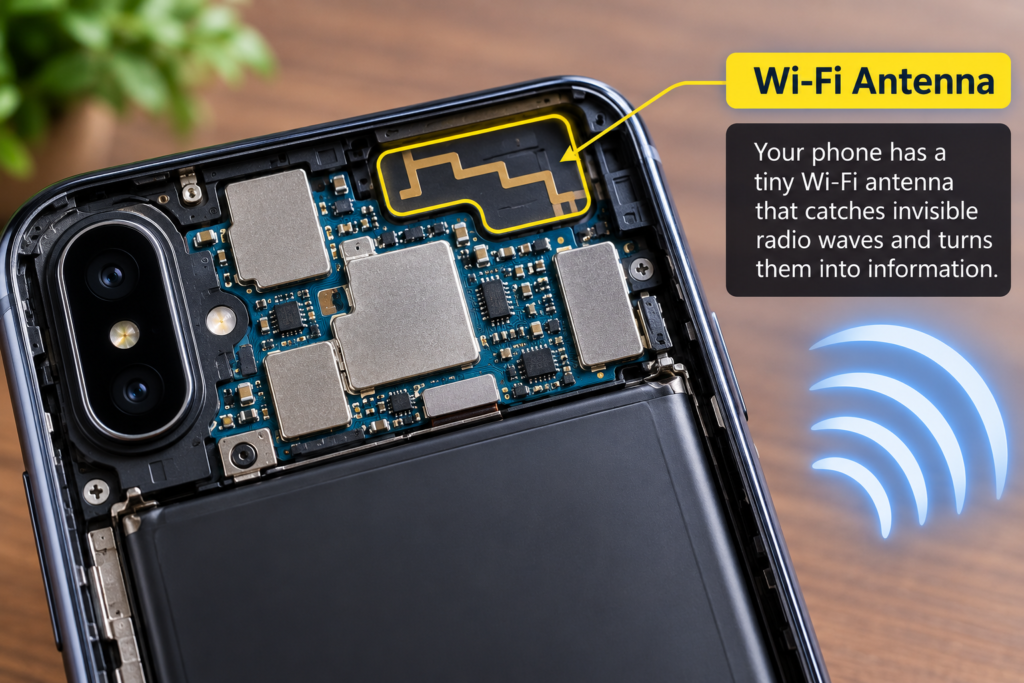
Think of it like your ears.
Just as your ears listen to sounds, the Wi-Fi antenna “listens” to radio waves.
The antenna catches the invisible signals and passes them to the phone’s processor.
The processor then changes those signals into things you can understand:
- Videos
- Photos
- Games
- Websites
- Messages
Without the antenna, your phone would never know that the Wi-Fi signals were there.
Why Can Wi-Fi Go Through Walls?
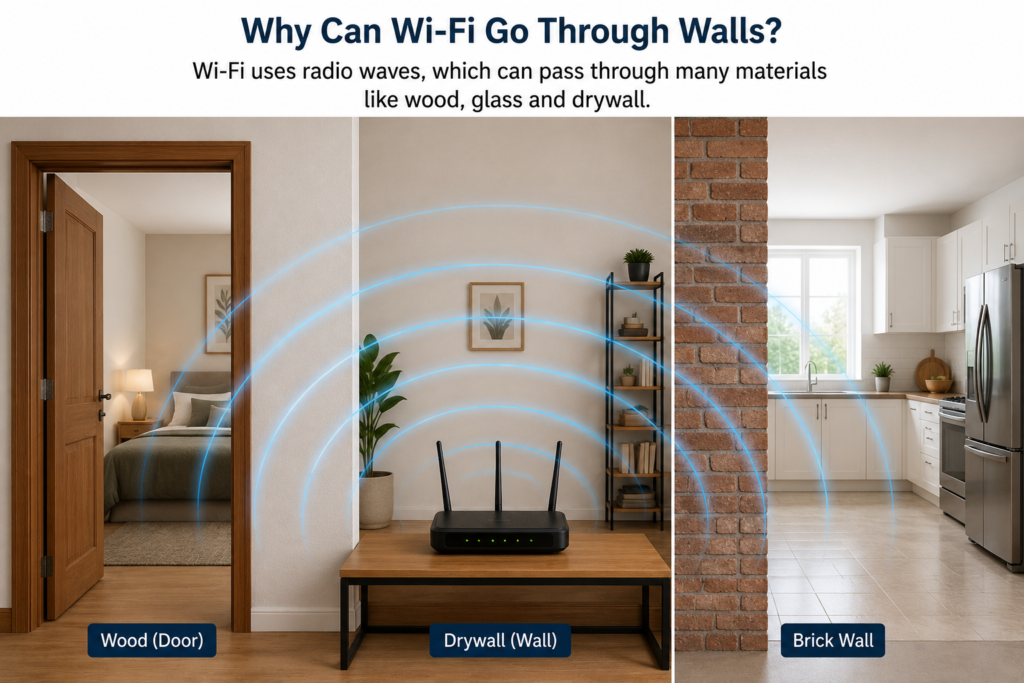
Have you noticed that your Wi-Fi works even when you’re in another room?
That’s because radio waves can pass through many materials like:
- Wood
- Glass
- Drywall
- Plastic
However, thick concrete walls, metal doors, mirrors, and large appliances can weaken the signal.
That’s why your internet may become slower in some parts of your home.
Why Does Wi-Fi Sometimes Become Slow?
Now that you understand how does Wi-Fi reach your phone, it’s easier to understand why the connection sometimes becomes slow or weak.
Have you ever wondered why videos start buffering?
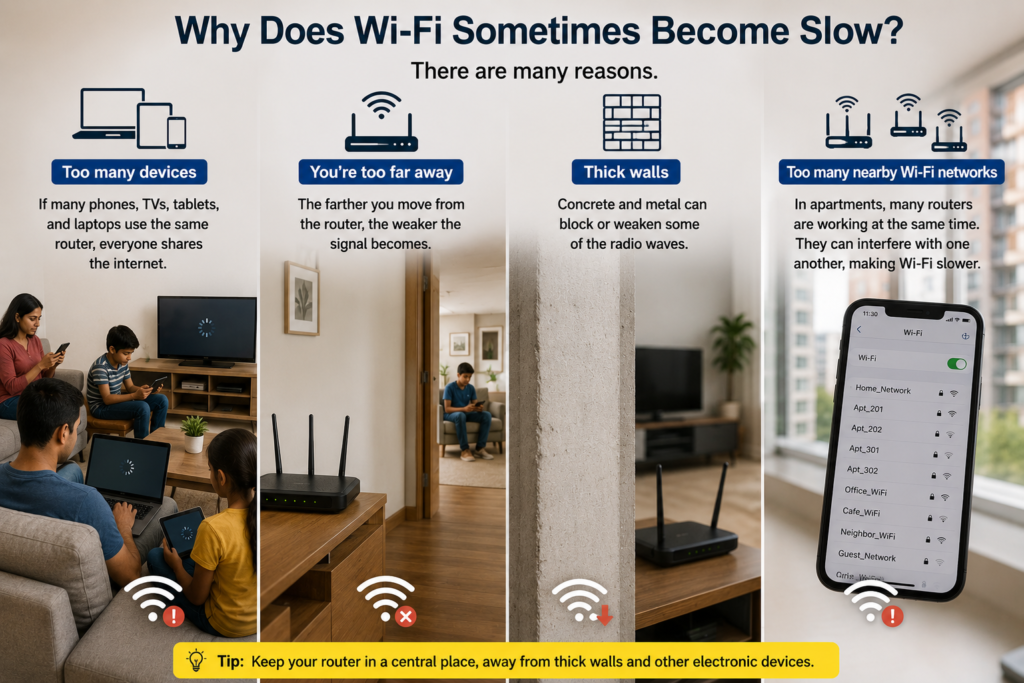
There are many reasons:
- Too many devices – If many phones, TVs, tablets, and laptops use the same router, everyone shares the internet.
- You’re too far away – The farther you move from the router, the weaker the signal becomes.
- Thick walls – Concrete and metal can block some of the radio waves.
- Too many nearby Wi-Fi networks – In apartments, many routers are working at the same time. They can interfere with one another, making Wi-Fi slower.
Why Does Wi-Fi Have Different Bars?
Your phone usually shows one to four or five Wi-Fi bars.
These bars tell you how strong the signal is.
More bars mean your phone is receiving stronger radio waves.
Fewer bars mean the signal is weaker.
A weak signal doesn’t always mean your internet plan is slow—it may simply mean your phone is farther from the router.
Is Wi-Fi Harmful?
Many people ask this question.
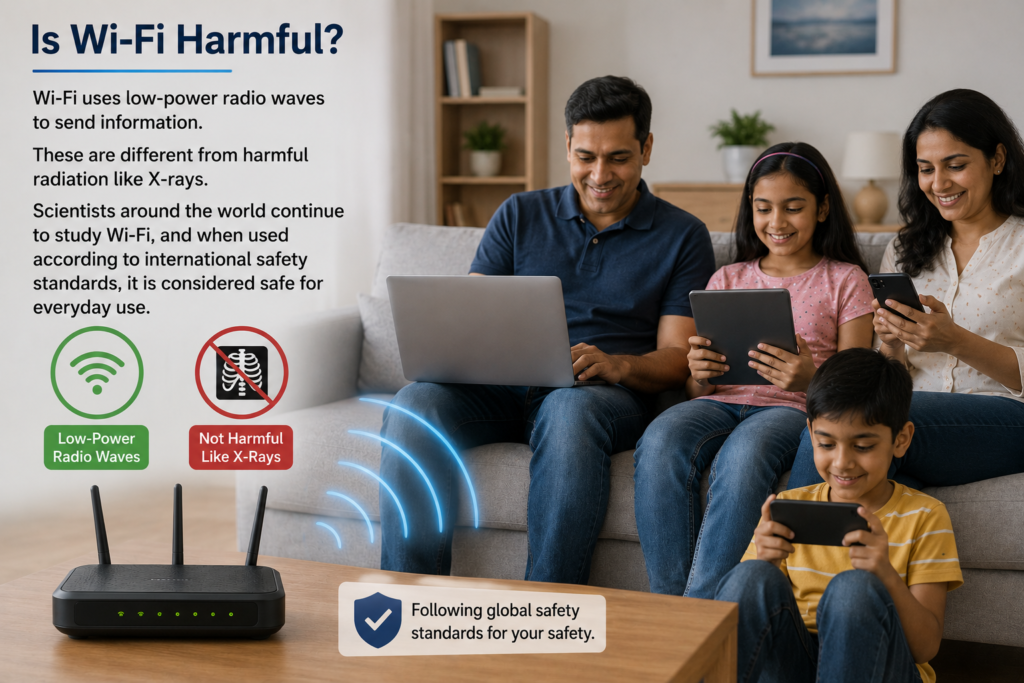
The good news is that Wi-Fi uses low-power radio waves.
These are different from harmful radiation like X-rays.
Scientists around the world continue to study Wi-Fi, and when used according to international safety standards, it is considered safe for everyday use.
Some Global Guidelines & Recommendations references – ICNIRP Guidelines WHO Recommendations
A Simple Analogy
Imagine your friend is standing across the room.
Instead of walking to you, they throw paper airplanes carrying tiny messages.
You catch the airplanes and read the message.
Wi-Fi works almost like that.
The router sends tiny packets of information through invisible radio waves, and your phone catches them using its antenna.
Except, instead of paper airplanes, everything happens at nearly the speed of light!
Fun Facts
- Wi-Fi signals travel at almost 300,000 kilometres every second—the speed of light.
- The word “Wi-Fi” doesn’t actually stand for “Wireless Fidelity.” It’s simply a brand name created for the technology.
- Modern routers can connect dozens of devices at the same time.
- Your smart TV, laptop, smartwatch, gaming console, and even some refrigerators can use Wi-Fi.
Try These Easy Experiments
Experiment 1: Walk Away from the Router
What you’ll need:
- A phone
- A Wi-Fi router
Steps:
- Stand close to the router.
- Check how many Wi-Fi bars you see.
- Slowly walk farther away.
- Notice how the bars change.
What did you learn?
The farther you move away, the weaker the signal becomes.
Experiment 2: Close the Door
Stand near your router and check your Wi-Fi signal.
Now go into another room and close the door.
Open a video and compare how quickly it loads.
Try this with one door and then two doors.
You’ll see that obstacles can weaken Wi-Fi signals.
Experiment 3: Count Wi-Fi Networks
Open the Wi-Fi settings on your phone.
How many different Wi-Fi networks can you see?
In many apartment buildings, you may find dozens!
This shows that invisible radio waves from many routers are travelling around you all the time.
Key Takeaways
- Wi-Fi sends information using invisible radio waves.
- Your router acts like a wireless post office.
- Your phone has a tiny antenna that receives Wi-Fi signals.
- Distance, walls, and too many connected devices can make Wi-Fi slower.
- Every time you browse the internet, tiny packets of data travel between your phone and the router in just fractions of a second.
The next time you’re watching videos or playing games without any wires attached, you’ll know the secret: your phone is communicating through invisible radio waves that fill the air around you!
So, how does Wi-Fi reach your phone? It uses invisible radio waves to carry information from your router to your phone in just a fraction of a second. Every time you watch a video, play a game, or browse the internet, your phone is communicating wirelessly using this amazing technology
Does Wi-Fi work without the Internet?
Yes. Wi-Fi connects your devices to the router. Without an internet connection, devices can still communicate on the local network, but you won’t be able to access websites or online services.
Can Wi-Fi go through concrete walls?
Yes, but thick concrete walls weaken Wi-Fi signals much more than wooden or drywall partitions.
Why is Wi-Fi faster near the router?
The closer your phone is to the router, the stronger the signal it receives, resulting in faster and more stable internet.
What is the difference between Wi-Fi and the Internet?
Wi-Fi is the wireless technology that connects your devices to a router, while the Internet is the worldwide network that provides websites, videos, and online services.
Can I use Wi-Fi on an airplane?
Some airplanes offer in-flight Wi-Fi. It works differently from your home Wi-Fi but still lets you connect to the internet during your flight.
💡 Did You Know?
Even astronauts aboard the International Space Station use wireless communication. It’s not exactly home Wi-Fi, but it uses the same basic idea of sending information without wires.
2 thoughts on “How Does Wi-Fi Reach Your Phone Without Any Wires?”