
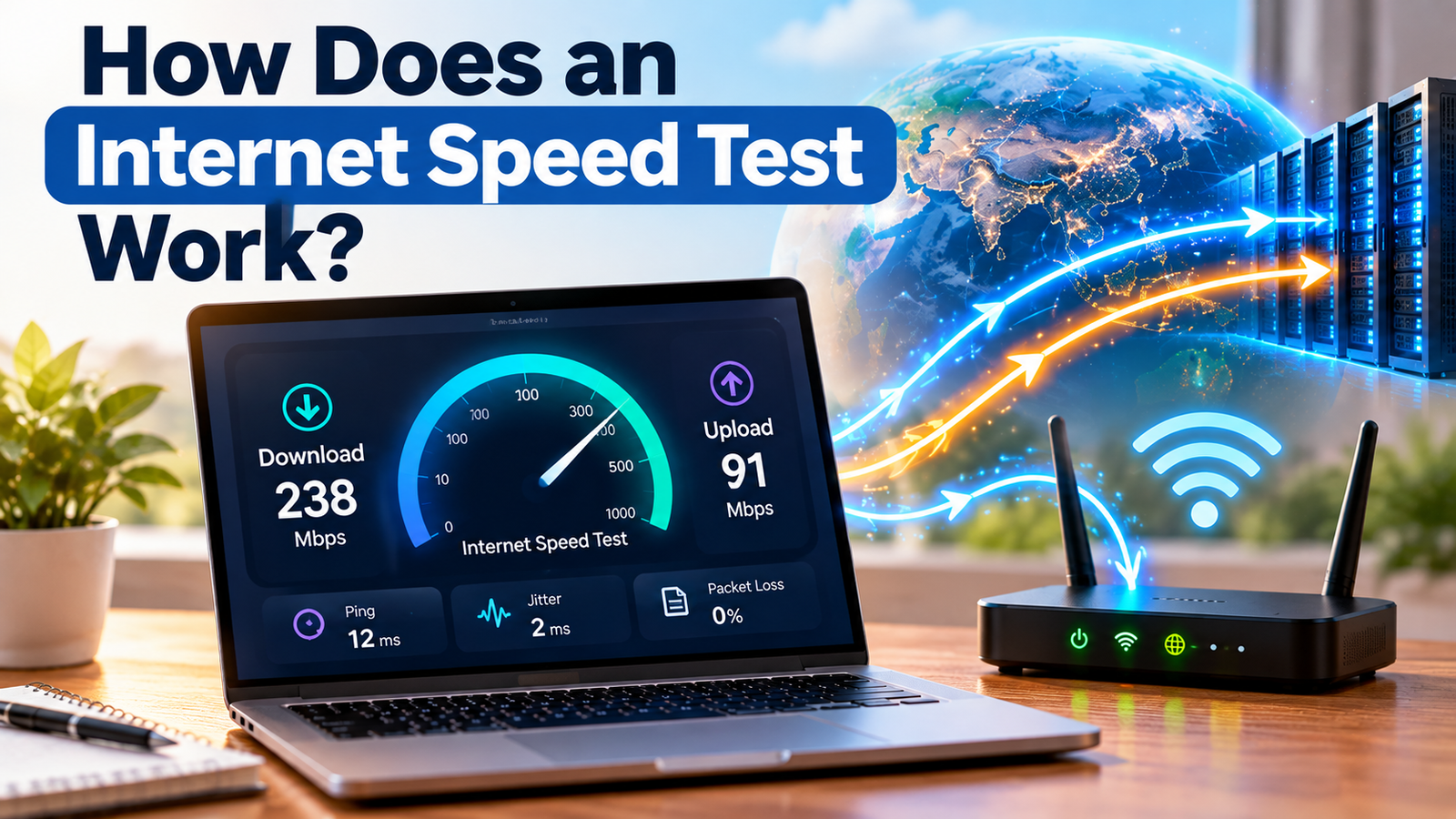
Have you ever wondered how a website can tell you that your internet connection is 100 Mbps, 200 Mbps, or even 1 Gbps in just a few seconds?
You click “Go” or “Start”, wait for a moment, and suddenly you see numbers for download speed, upload speed, ping, and sometimes jitter and packet loss.
But how does a website actually measure something that is happening between your device, your Wi-Fi router, your internet provider, and a server somewhere on the internet?
The answer is surprisingly clever.
An internet speed test sends and receives specially designed data between your device and a test server and measures how quickly and reliably that data travels. It uses those measurements to estimate the performance of your internet connection.
Let’s see what happens behind the scenes.
What Is an Internet Speed Test?
An internet speed test is a way of measuring the performance of your internet connection at a particular moment.
Most tests measure several things, including:
- Download speed – how quickly data can travel to your device
- Upload speed – how quickly data can travel from your device
- Latency or ping – how long it takes for data to make a round trip
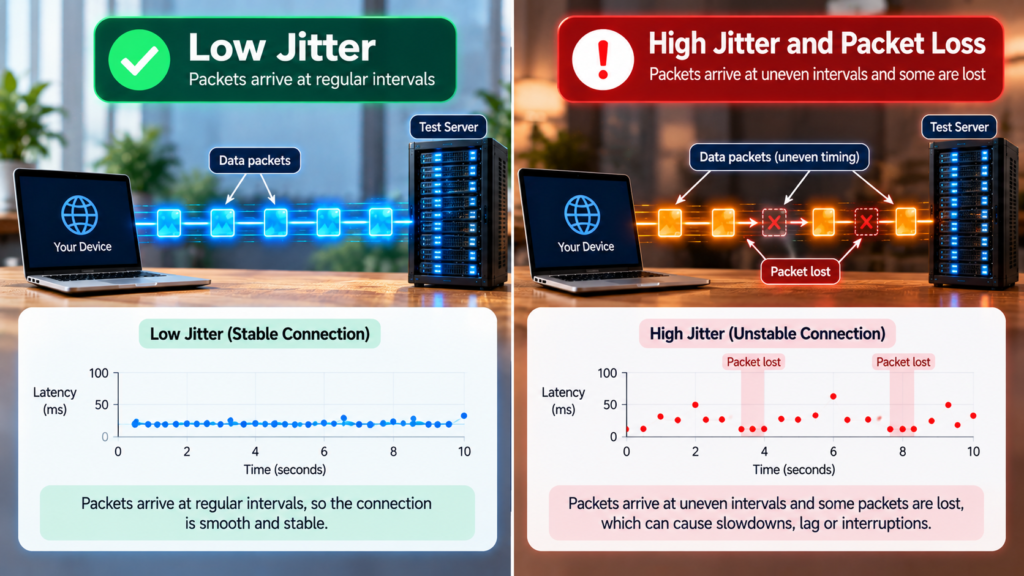
- Jitter – how much the latency changes over time
- Packet loss – how much data fails to reach its destination
The familiar number called “internet speed” is usually actually a measurement of throughput — the amount of data that can be transferred per second. It is normally expressed in megabits per second (Mbps) or gigabits per second (Gbps).
So when your internet plan says 200 Mbps, that doesn’t mean the internet itself is travelling at 200 megabits per second like a car travelling at 200 km/h.
It means your connection has the capacity to transfer data at around that rate under suitable conditions.
What Happens When You Click “Start”?
Imagine you open an internet speed test on your laptop.
The test doesn’t simply look at your Wi-Fi icon and guess your speed.
Instead, it performs a series of measurements.
A simplified version looks like this:
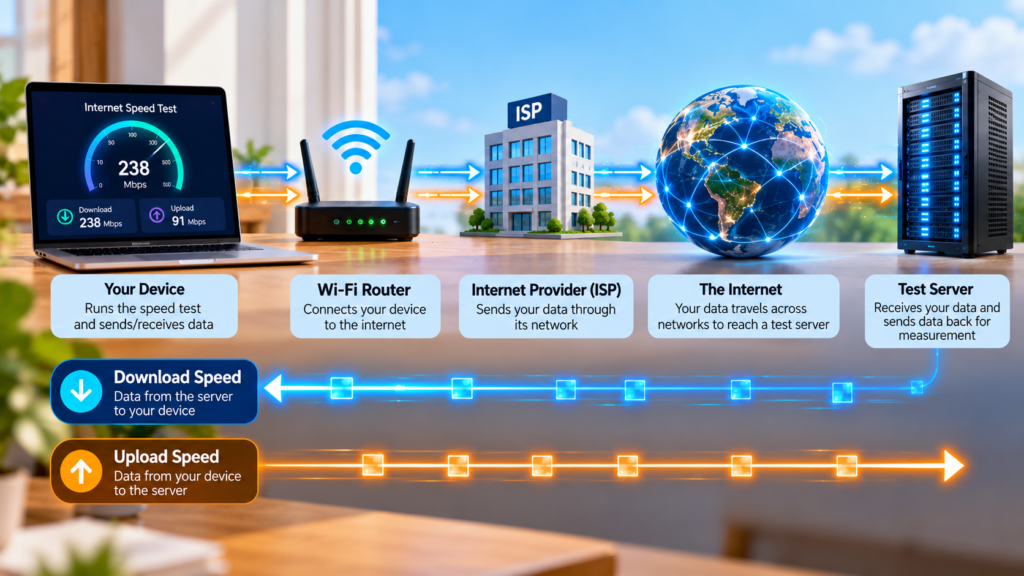
Your device → Wi-Fi/router → Internet provider → Internet → Test server
The server then sends data back:
Test server → Internet → Internet provider → Router → Your device
The test measures how long these transfers take and how much data successfully moves during them.
But there is an important question:
Which server does the test use?
That matters more than you might think.
Step 1: The Test Connects to a Server
An internet speed test needs another computer on the internet to communicate with.
This computer is called a test server.
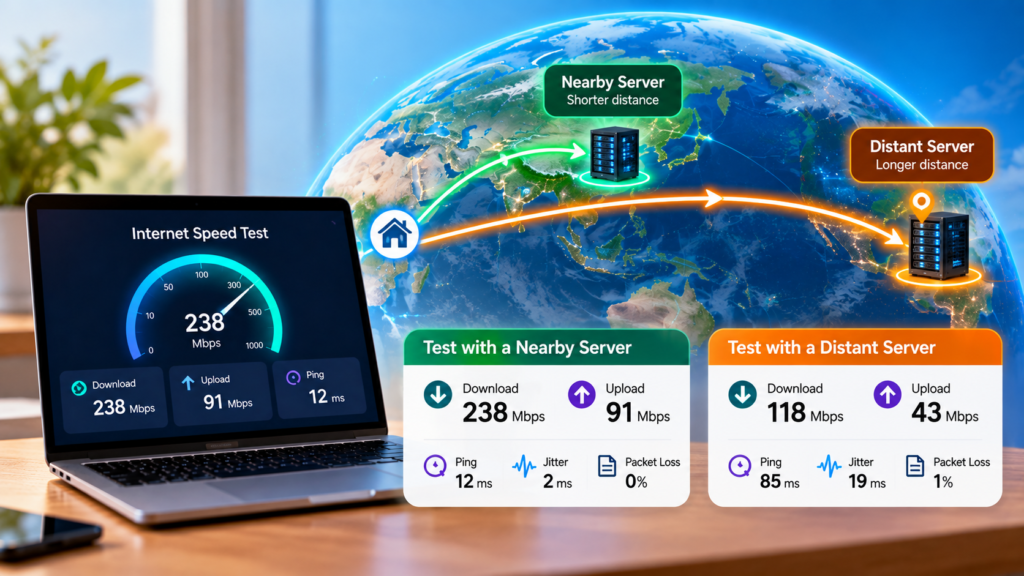
Good speed-test services generally have servers distributed across different locations. Depending on the service and its testing method, your test may connect to a nearby server or to infrastructure designed to represent a particular type of internet experience.
Why does this matter?
Imagine you live in India.
If your test sends data to a server located relatively close to you, the data has a shorter journey.
But imagine sending the same data to a server on another continent.
The data may have to travel through many networks and physical links before reaching the destination.
That extra distance can affect latency and sometimes throughput.
This is one reason two different speed-test websites can produce different results even when you run them seconds apart. Different services may use different server locations, numbers of connections, protocols, and testing methods.
Step 2: It Measures Your Ping
Before measuring how much data your connection can move, the test can measure something much smaller:
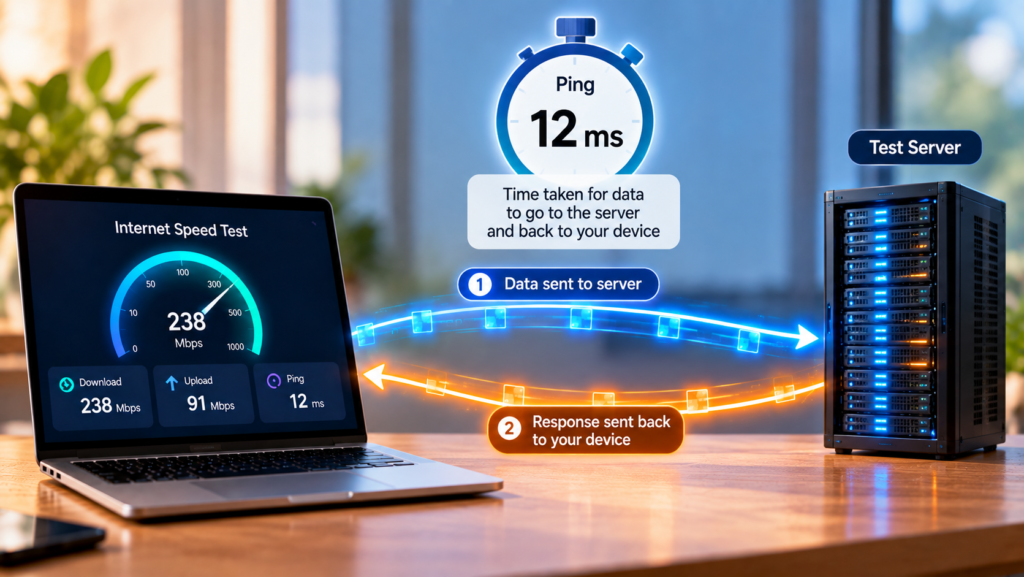
How long does it take for information to travel to the server and back?
This is called latency or ping.
It is usually measured in milliseconds (ms).
For example:
20 ms
means that the measured round trip takes about 20 milliseconds.
A simple way to imagine it is like shouting:
“Hello!”
to someone far away and measuring how long it takes to hear the response.
A lower latency generally means a faster response between your device and the server.
This is particularly important for things where timing matters, such as online gaming and video calls.
A connection can therefore have a high download speed but still feel sluggish if its latency is high.
Step 3: The Test Measures Download Speed
Now comes the number most people are interested in.
Download speed.
The test server begins sending data to your device.
It may send progressively larger amounts of data or use multiple data streams to determine how much information your connection can handle.
The test measures:
How much data arrived ÷ how much time it took
The result is converted into a number such as:
50 Mbps
200 Mbps
500 Mbps
or
1 Gbps
A higher throughput means more data can be transferred during the same amount of time.
Think about a highway.
A highway with one lane can carry only a certain number of cars at once.
A highway with ten lanes can carry many more cars.
Your connection’s available bandwidth is somewhat like the number of lanes on that highway.
The more capacity available, the more data can potentially move at the same time.
But there’s an important difference:
Bandwidth is not the same thing as latency.
A highway can have many lanes but still have a long journey if the destination is far away.
The same thing can happen on the internet.
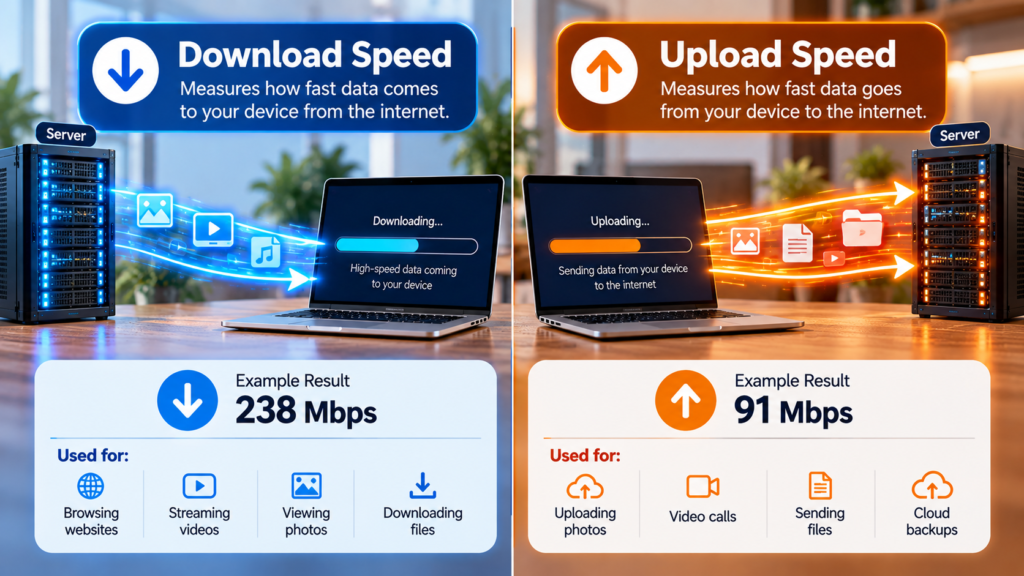
Step 4: It Measures Upload Speed
The test then reverses the direction.
Instead of the server sending data to you, your device sends data to the server.
This measures your upload speed.
For example, your test might show:
Download: 200 Mbps
Upload: 50 Mbps
This means the measured connection was able to receive data at a much higher rate than it could send data during the test.
Upload speed becomes especially important when you’re:
- Uploading large files
- Sending videos
- Backing up photographs
- Broadcasting a livestream
- Using cloud storage
- Making video calls
Many home internet connections are designed with considerably more download capacity than upload capacity, although this varies by technology and service provider.
Why Does the Test Take Several Seconds?
You might wonder:
Why can’t the website just send one file and calculate the speed?
Because a single transfer might not give a reliable measurement.
At the beginning of a transfer, the connection may not immediately reach its maximum throughput.
The testing software may therefore increase the amount of data being transferred or use multiple simultaneous connections.
Modern speed tests can involve several streams and different measurement techniques. The exact method varies between services.
This is also why the number on your screen may gradually rise.
For example, you might see:
35 Mbps → 80 Mbps → 145 Mbps → 198 Mbps
The test is effectively finding out how much traffic the connection can handle under its particular testing conditions.
Why Are There Different Speed-Test Results?
This is one of the most confusing things about internet speed tests.
You test your connection on one website and get:
210 Mbps
Then you immediately test again somewhere else and get:
175 Mbps
Which one is correct?
Potentially, both.
A speed test is not measuring some permanent number attached to your internet connection.
It is measuring the performance of a particular path between your device and a particular testing system at a particular time.
Several things can affect the result.
1. Server location
A server farther away can produce different latency and performance.
2. Network congestion
Internet traffic changes throughout the day.
If many people are using the network, performance can change.
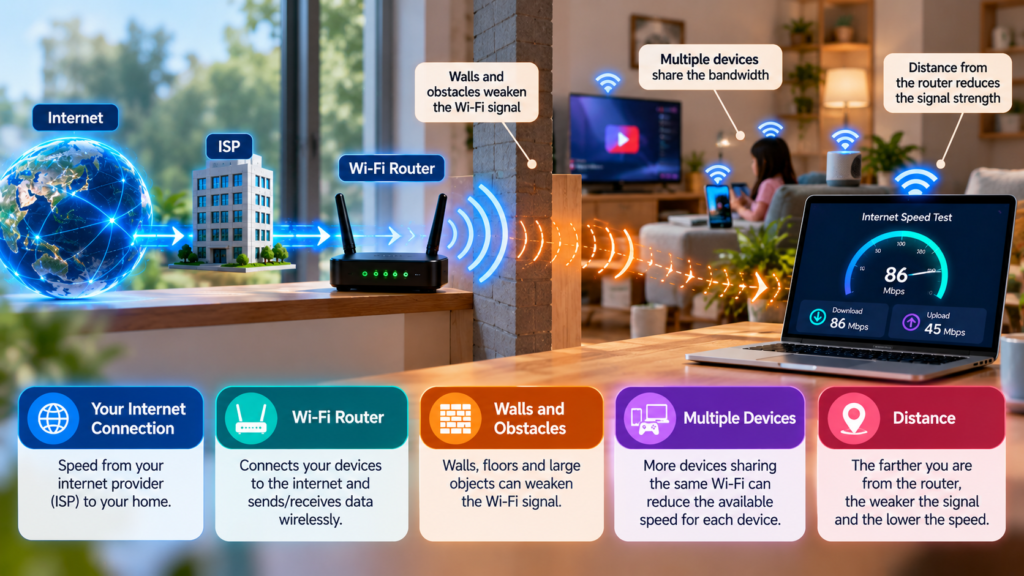
3. Wi-Fi
Your device may not be communicating with the router at the full speed your internet plan provides.
Walls, distance, interference, router capability and other wireless devices can affect Wi-Fi performance.
4. Other devices
Someone else in your home may be streaming a movie, downloading a large game or uploading files while you’re testing.
5. Your device
The computer or phone itself can sometimes become a bottleneck.
6. The speed-test method
Different services can use different server networks, numbers of connections, protocols and algorithms.
Cloudflare notes that these methodological differences can significantly affect speed-test results.
What Does Mbps Actually Mean?
This is where many people get confused.
Suppose your internet speed test says:
100 Mbps
The b in Mbps stands for bits, not bytes.
There are:
8 bits = 1 byte
So:
100 megabits per second ÷ 8 ≈ 12.5 megabytes per second
That means a theoretical 100 Mbps connection corresponds to about 12.5 MB/s before accounting for networking overhead and other real-world factors.
This is why downloading a file doesn’t necessarily show “100 MB per second” when your internet plan says 100 Mbps.
The units are different.
What Is Jitter?
A good internet connection isn’t only about speed.
Imagine you measure your ping several times:
20 ms
21 ms
19 ms
20 ms
That’s fairly consistent.
Now imagine:
20 ms
75 ms
30 ms
120 ms
The average might still look reasonable, but the connection is behaving inconsistently.
That variation is called jitter.
Jitter is particularly important for applications that need a steady flow of communication, such as voice and video calls.
High jitter can contribute to interruptions or uneven audio and video.
What Is Packet Loss?
Internet data doesn’t usually travel as one giant piece.
It is broken into smaller units called packets.
Think of sending a large LEGO model to a friend by putting the pieces into many small boxes.
If some boxes never arrive, your friend doesn’t receive the complete model.
Something similar can happen with internet data.
Packet loss occurs when packets sent across a network fail to reach their destination.
Even a connection with a high download speed can have problems if it is losing packets.
That’s why modern network-quality tests may measure packet loss alongside download speed, upload speed and latency.
Why Your Wi-Fi Speed Can Be Lower Than Your Internet Plan
Suppose your internet provider gives you:
500 Mbps
But your laptop’s speed test shows:
280 Mbps
That doesn’t automatically mean your internet provider is delivering only 280 Mbps.
The test is measuring the connection from your device, and there are several steps between your laptop and your ISP.
Your path might look like:
Laptop → Wi-Fi → Router → Broadband connection → ISP → Internet → Test server
Want to understand what happens between your phone and your Wi-Fi router? Read [How Does Wi-Fi Reach Your Phone Without Wires?]
The Wi-Fi connection itself can become the limiting factor.
This is why testing with an Ethernet cable can sometimes produce a different result from testing over Wi-Fi.
It also explains why two devices in the same house can sometimes produce different speed-test results.
Why Should You Run More Than One Test?
A single speed test is only a snapshot.
Your internet connection at:
8:00 AM
may perform differently from the same connection at:
8:00 PM
You may also get different results depending on:
- Which device you use
- Whether you’re using Wi-Fi or Ethernet
- Which server the test selects
- How many other devices are using the network
- Network congestion
- The testing method
For troubleshooting, it can therefore be more useful to run several tests under similar conditions rather than relying on one number.
If you are comparing your results with your internet plan, try to keep the conditions consistent.
Does a High Speed Always Mean Better Internet?
Not necessarily.
Imagine two connections.
Connection A
500 Mbps download
150 ms latency
Connection B
200 Mbps download
20 ms latency
Which one feels better?
It depends on what you’re doing.
If you’re downloading a huge file, higher throughput can be very useful.
But for an online game or interactive video call, latency, jitter and packet loss can have a major effect on the experience.
Modern network-quality testing therefore looks beyond download and upload speed. Cloudflare, for example, combines measurements such as throughput, latency, jitter and packet loss when assessing different types of online activity.
So the next time someone says:
“My internet is fast because I have 1 Gbps!”
there is another question worth asking:
Fast in what way?
How to Get a More Reliable Speed-Test Result
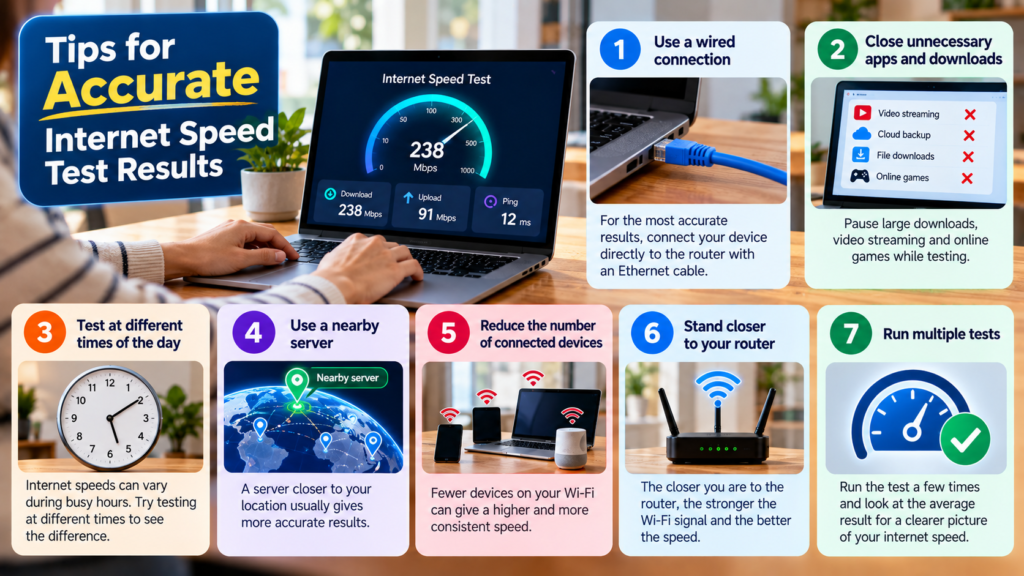
If you want to check your connection, try these simple steps:
1. Stop large downloads
Pause downloads, cloud backups and software updates.
2. Reduce other internet activity
Ask other users or devices to temporarily stop heavy streaming or downloading.
3. Test more than once
Run several tests rather than trusting one result.
4. Test at different times
If your connection becomes slow only in the evening, testing at different times can reveal a pattern.
5. Compare Wi-Fi and Ethernet
If possible, connect your computer directly to the router with an Ethernet cable and compare the result.
6. Try different test servers or services
Different testing systems can produce different measurements because they use different infrastructure and methodologies.
Remember that a speed test measures the conditions of the test itself. It isn’t a perfect, universal measurement of everything your internet connection can do.
So, How Does an Internet Speed Test Work?
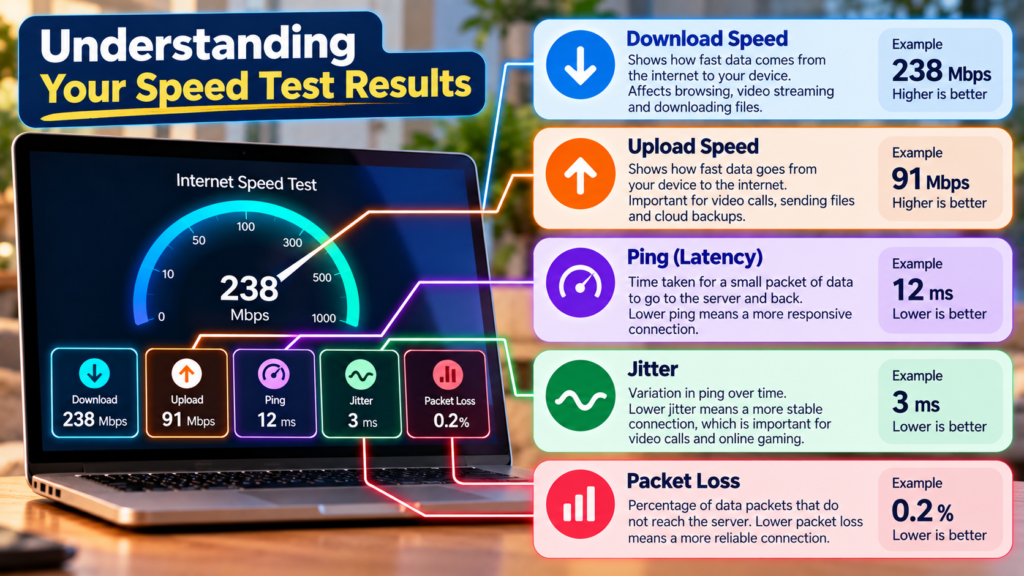
In simple terms, an internet speed test works by sending data back and forth between your device and a test server and measuring what happens along the way.
It can determine:
Download speed
How quickly data comes to you.
Upload speed
How quickly you can send data.
Ping/latency
How long a round trip takes.
Jitter
How much that response time varies.
Packet loss
How much data fails to arrive.
All of these measurements help create a picture of your connection.
And that’s the important part:
Your internet connection isn’t defined by one number.
A speed test is more like a health check for your connection at that particular moment. It tells you how the network performed under the conditions of that test.
So the next time you press “Start” and watch the numbers climb from 20 Mbps to 200 Mbps, remember what’s happening behind that simple animation.
Your device is actually communicating with another computer somewhere on the internet — sending data, receiving data, measuring time, counting packets and calculating the results — all within a few seconds.
That’s how a simple-looking internet speed test can reveal what is happening inside a surprisingly complicated network.
Frequently Asked Questions
Is internet speed the same as bandwidth?
Not exactly. People commonly use “speed” to describe the amount of data a connection can transfer per second, but technically throughput and bandwidth are different concepts. Bandwidth refers to capacity, while throughput is the amount of data actually transferred.
Why is my speed test lower than my internet plan?
Your device, Wi-Fi connection, router, network congestion, server location and the testing method can all affect the result. Your ISP’s advertised speed and the speed measured by a device are therefore not always identical.
What is a good ping?
There isn’t one universal number that is “good” for every activity. Lower latency generally means faster responses, but the importance of latency depends on what you’re doing online.
Why do I get different speed-test results on my phone and laptop?
The devices may have different Wi-Fi hardware, may be different distances from the router, or may be connected using different wireless bands. Their results can therefore differ even when they are using the same internet connection.
Does a speed test use my internet data?
Yes. A speed test has to transfer data to measure your connection, so running a test can consume some of your data allowance. The amount depends on the testing service and the test itself.
Want to see these measurements for yourself? Try Cloudflare’s Speed Test to measure your download speed, upload speed, latency, jitter and packet loss.