
How does Wi-Fi work? Have you ever wondered how your phone can connect to the internet without being plugged into anything?
You open a website, watch a YouTube video, send a WhatsApp message, or play an online game—and somehow all that information travels through the air.
The technology making this possible is Wi-Fi.
But how does Wi-Fi actually work?
Does the internet travel through the air? How does your phone know which Wi-Fi network to connect to? And how can a router send information to several devices at the same time?
Let’s understand the science behind Wi-Fi in a simple way.
What Is Wi-Fi?
Wi-Fi is a technology that allows electronic devices to communicate wirelessly using radio waves.
Your phone, laptop, tablet, smart TV, and other devices can use Wi-Fi to communicate with a wireless router.
The router is usually connected to the internet through a cable supplied by your internet service provider (ISP).
So the basic journey looks something like this:
Internet → ISP → Router → Radio waves → Your device
The router acts like a bridge between the wired internet connection and your wireless devices.
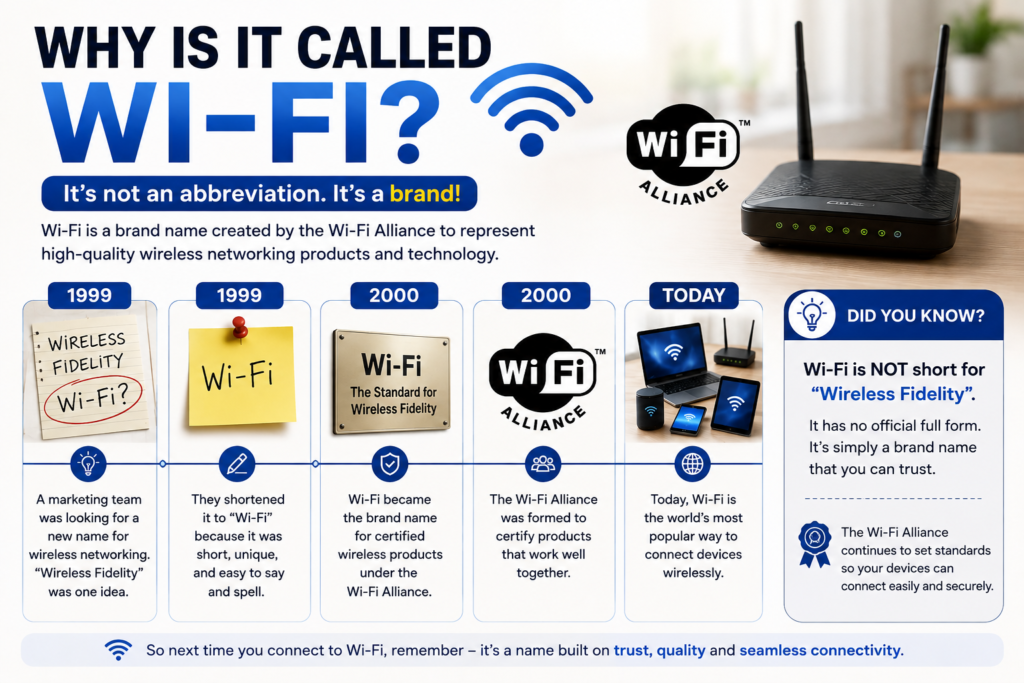
Here’s a fun fact: Wi-Fi does not actually stand for “Wireless Fidelity.”
You may have heard that Wi-Fi is short for Wireless Fidelity, especially because it sounds similar to Hi-Fi, which traditionally refers to high-fidelity audio.
But that’s not how the name was created.
In the late 1990s, the wireless networking technology was based on a technical standard called IEEE 802.11. One of the early versions was known as IEEE 802.11b Direct Sequence—a name that was certainly accurate, but not exactly easy for ordinary people to remember.
The industry group then known as the Wireless Ethernet Compatibility Alliance (WECA) wanted a much more memorable name for the technology.
So they hired a branding company called Interbrand to come up with a catchy name and logo.
Interbrand proposed a list of names, and “Wi-Fi” was selected in 1999. The name was chosen because it was short, memorable, and had a familiar sound similar to “Hi-Fi.” Interbrand also created the familiar Wi-Fi logo.
Does Wi-Fi Actually Carry the Internet Through the Air?
In a way, yes—but not quite like a physical object travelling through the air.
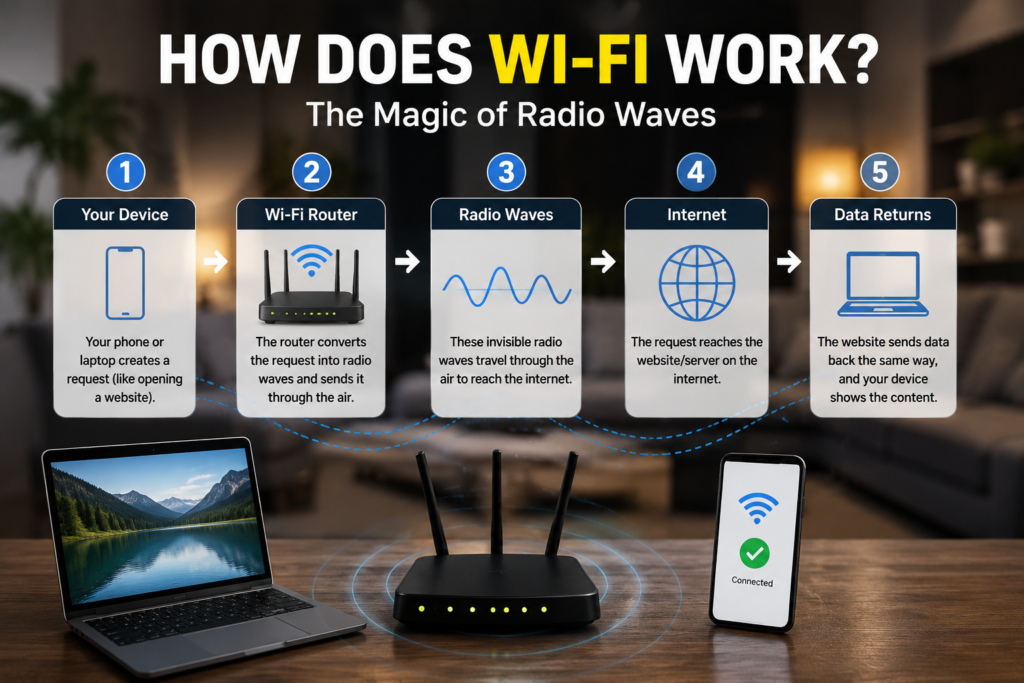
When your device requests information, such as opening a website, that information is converted into digital data.
The Wi-Fi system then uses radio waves to transmit that data between your device and the router.
Radio waves are a form of electromagnetic radiation, just like visible light, but they have much longer wavelengths and are invisible to our eyes.
Your phone has a tiny antenna that can send and receive these radio signals.
The router has antennas too.
So when you connect to Wi-Fi, your device and router are essentially talking to each other using radio waves.
How Does Wi-Fi Send Data?
Computers don’t really understand words, pictures, or videos in the way humans do.
Inside electronic devices, information is represented as bits—0s and 1s.
For example, when you watch a video online, the video is broken into enormous amounts of digital data.
Your router and device communicate this information using carefully controlled radio signals.
The radio signal changes in ways that represent the digital information being transmitted.
Your phone receives those signals and converts them back into data that its software can understand.
This happens incredibly quickly.
That’s why a webpage can appear on your screen almost immediately after you tap a link.
What Happens When You Connect to Wi-Fi?
Imagine that you come home and your phone automatically connects to your Wi-Fi.
Several things happen behind the scenes.
1. Your router creates a Wi-Fi network
Your wireless router continuously broadcasts information that identifies the Wi-Fi network.
This network has a name called an SSID.
For example, your Wi-Fi network might appear on your phone as:
Home_WiFi
2. Your phone searches for nearby networks
Your phone’s Wi-Fi antenna scans for available wireless networks.
It may find several networks nearby.
You select your home network from the list.
3. Your phone and router establish a connection
If the network is protected, your phone needs the correct password.
The router and phone then establish a secure connection.
4. Your phone gets an IP address
The router usually assigns your device an IP address.
This helps the network identify your device and send information to the correct destination.
5. Data can now travel between them
Now your phone and router can exchange information using radio waves.
And that’s when the real magic begins.
How Does the Router Know Which Device Gets Which Data?
Imagine that your home has a phone, two laptops, a smart TV, and a tablet connected to the same Wi-Fi network.
How does the router know where everything should go?
The answer is that every device on the network has its own identifying information.
The router keeps track of the devices connected to it and directs network traffic appropriately.
For example, if your phone requests a webpage, the router needs to send that webpage’s data back to your phone—not your television.
It does this using network addressing and other communication rules.
Think of the router like a traffic controller.
Instead of directing cars, it directs packets of digital information.
What Are Data Packets?
Information travelling across a network is usually divided into small pieces called packets.
Imagine sending a huge book through the post.
Instead of putting the entire book into one enormous package, you could divide it into many smaller parcels.
Each parcel could contain information about where it came from and where it needs to go.
Digital networks work in a somewhat similar way.
A large file, webpage, image, or video can be divided into many packets.
These packets travel through the network and are eventually put back together by your device.
That’s how your phone can receive something as large as a video over a wireless connection.
What Is the Difference Between Wi-Fi and the Internet?
This is an important distinction.
Wi-Fi is not the internet.
Wi-Fi is the wireless connection between your device and the router.
The internet is the enormous global network of computers, servers, cables, satellites, data centres, and other infrastructure that allows devices around the world to communicate.
Think of it this way:
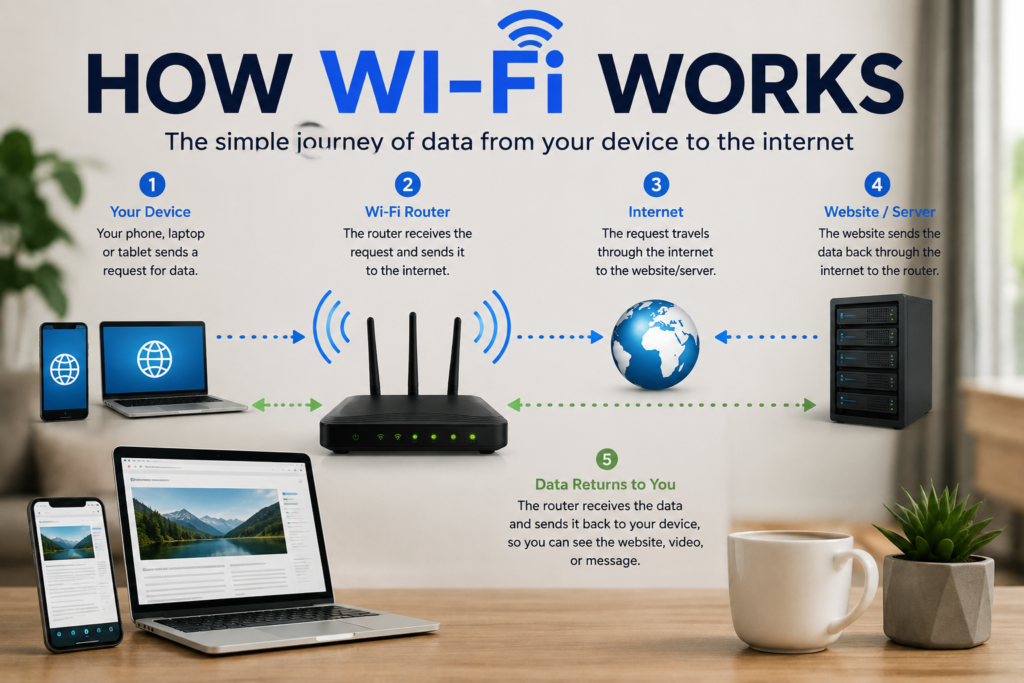
Your phone → Wi-Fi → Router → Internet → Website server
Wi-Fi is just one part of the journey.
You can actually have a Wi-Fi network without having internet access.
For example, your phone might still connect to a router even if the router’s internet connection is temporarily down.
Why Does Wi-Fi Have Different Speeds?
You may have noticed that Wi-Fi doesn’t always feel equally fast.
There are several reasons for this.
Distance from the router
Radio signals generally become weaker as you move farther away from the router.
That’s why Wi-Fi may work extremely well next to your router but become slower in another room.
Walls and objects
Walls, floors, furniture, and other objects can interfere with radio signals.
Some materials block or weaken signals more than others.
Other wireless devices
Many devices use radio frequencies.
If there is a lot of wireless activity around you, interference can sometimes affect performance.
Number of connected devices
If many devices are using the same Wi-Fi connection at once, they may have to share the available wireless capacity.
For example, someone streaming a 4K video while another person is downloading a large game can place much more demand on the network than simply reading a webpage.
Why Does Moving Closer to the Router Usually Help?
Remember that Wi-Fi uses radio waves.
As the distance between your device and the router increases, the signal generally becomes weaker.
A stronger signal usually makes communication easier.
That’s why moving closer to the router can sometimes improve your connection.
But distance isn’t the only factor.
A router on the other side of several thick walls may provide a weaker connection than one located much closer with fewer obstacles in the way.
What Are 2.4 GHz and 5 GHz Wi-Fi?
You may have noticed Wi-Fi networks or routers mentioning 2.4 GHz and 5 GHz.
These refer to different radio-frequency bands used by Wi-Fi.
2.4 GHz
The 2.4 GHz band generally travels farther and can pass through obstacles somewhat better.
However, it is also a crowded frequency band because many other devices use it.
5 GHz
5 GHz can provide higher speeds under suitable conditions and usually has more available channels.
However, its signal generally doesn’t travel through walls as effectively as 2.4 GHz.
Newer Wi-Fi technologies also use other frequency bands, including 6 GHz in supported Wi-Fi generations and regions.
So newer Wi-Fi doesn’t simply mean “faster radio waves.” It involves improvements in how data is transmitted, how channels are used, and how multiple devices communicate.
Is Wi-Fi Safe?
Wi-Fi uses radio-frequency electromagnetic waves, which are non-ionizing radiation.
This is different from ionizing radiation such as X-rays, which has enough energy to remove electrons from atoms.
Wi-Fi devices operate at relatively low power, and wireless equipment is designed to comply with applicable safety limits.
So for everyday use, Wi-Fi is considered safe when devices meet established regulatory requirements.
Why Does Wi-Fi Sometimes Stop Working?
Sometimes your phone shows full Wi-Fi bars but the internet still doesn’t work.
Why?
Because there are actually several connections involved.
Your device may still be successfully connected to the router, while the router itself may have lost its connection to the internet.
For example:
Phone → Wi-Fi → Router ❌ Internet connection
In this situation, Wi-Fi is working, but the internet connection beyond the router isn’t.
Other problems can include:
- Weak signal
- Router problems
- Internet service outages
- Network congestion
- Too many connected devices
- Interference
- Incorrect network settings
That’s why restarting your router sometimes magically seems to fix everything!
Wi-Fi vs Mobile Data
Both Wi-Fi and mobile data allow your phone to access the internet, but they use different networks.
With Wi-Fi, your phone communicates wirelessly with a nearby router.
With mobile data, your phone communicates with nearby cellular towers operated by your mobile network provider.
So:
Wi-Fi: Phone → Router → Internet
Mobile data: Phone → Cellular tower → Mobile network → Internet
Your phone can automatically switch between these depending on your settings and available connections.
Your phone can use several different technologies to communicate and determine where it is. Learn how GPS knows your location
The Amazing Part About Wi-Fi
The next time you watch a video on your phone, remember what’s happening around you.
Invisible radio waves are travelling between your device and router.
Digital information is being converted into signals, transmitted through the air, received by an antenna, converted back into data, and processed by your phone.
You don’t see any of it.
Yet it happens millions of times while you’re simply sitting on your sofa.
That’s the science behind Wi-Fi.
Final Thought
Wi-Fi feels almost like magic because you can’t see the signals carrying your data.
But behind that invisible connection is a fascinating combination of radio waves, antennas, digital data, networking protocols, and clever engineering.
The next time someone asks, “How does Wi-Fi work?”, you can simply say:
Your device and router talk to each other using invisible radio waves—and those waves carry the digital information that connects you to the internet.