
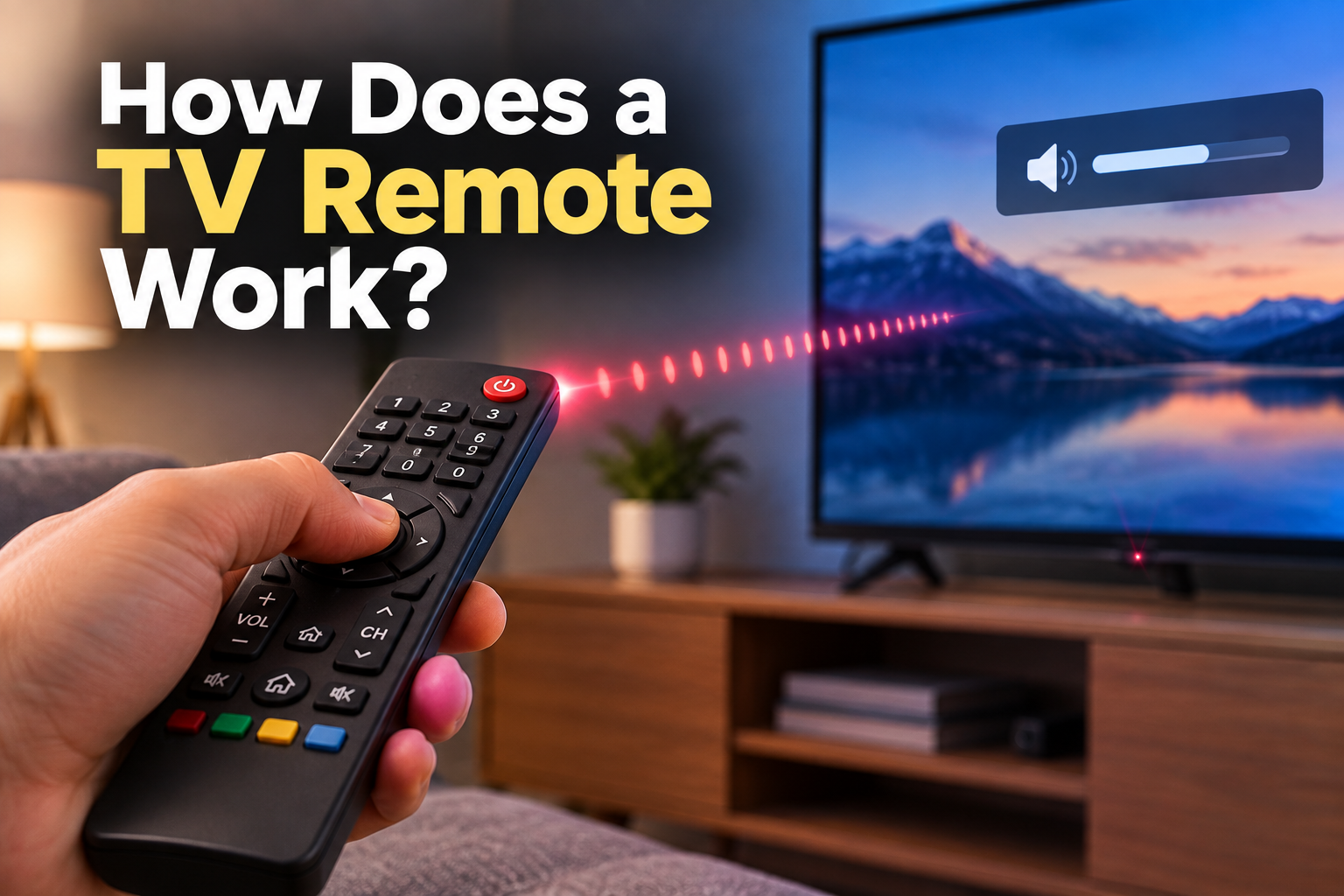
You press Volume Up on your TV remote, and almost instantly, the sound gets louder.
Press Channel Down, and the TV changes channels.
But here’s the strange part:
How does a TV remote work?
After all, the remote isn’t physically connected to the TV. There are no wires running between the two. And when you press a button, you don’t see anything traveling through the air.
So how does the message get from your hand to the TV?
The answer is surprisingly clever.
Your remote control is essentially sending the TV a coded message using invisible light.
Let’s see how it works.
How Does a TV Remote Work When You Press a Button?
Let’s say you’re watching TV and press the Volume Up button.
A surprisingly complicated chain of events happens in just a fraction of a second:
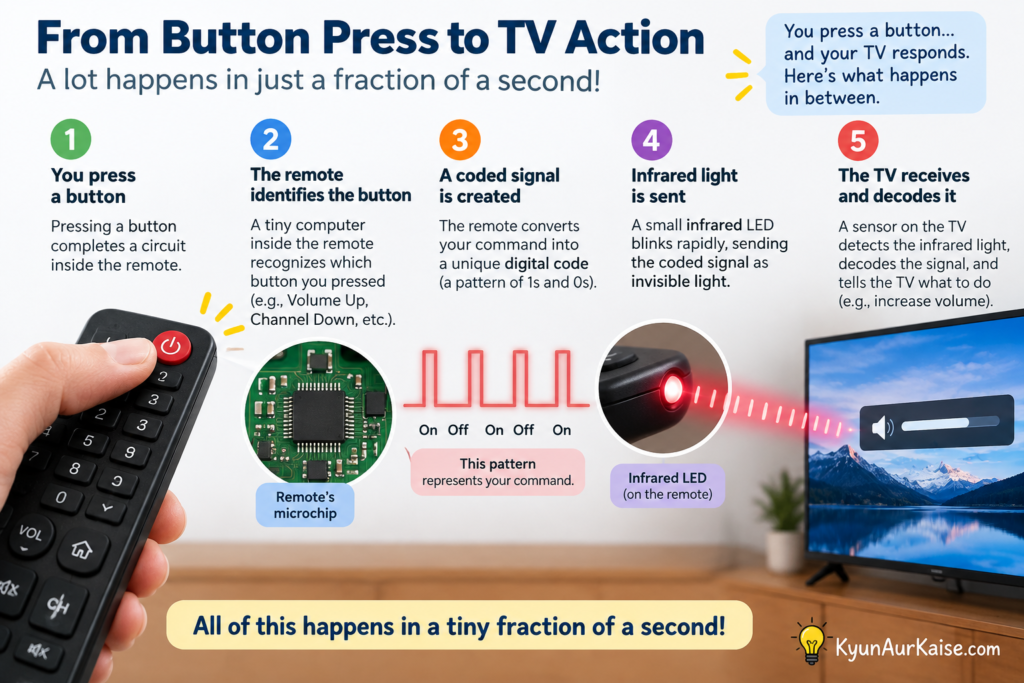
You press the button → the remote identifies the button → a tiny circuit creates a coded signal → an infrared LED sends invisible light → the TV’s sensor detects it → the TV decodes the message → the volume increases.
It all happens so quickly that it feels like the TV simply “knows” what you did.
But the TV doesn’t know.
It’s receiving a message.
Your Remote Is Sending Invisible Light
Most traditional TV remotes use infrared (IR) light to communicate with the TV.
Infrared is a type of electromagnetic radiation just beyond the range of visible red light. You can’t normally see it with your eyes.
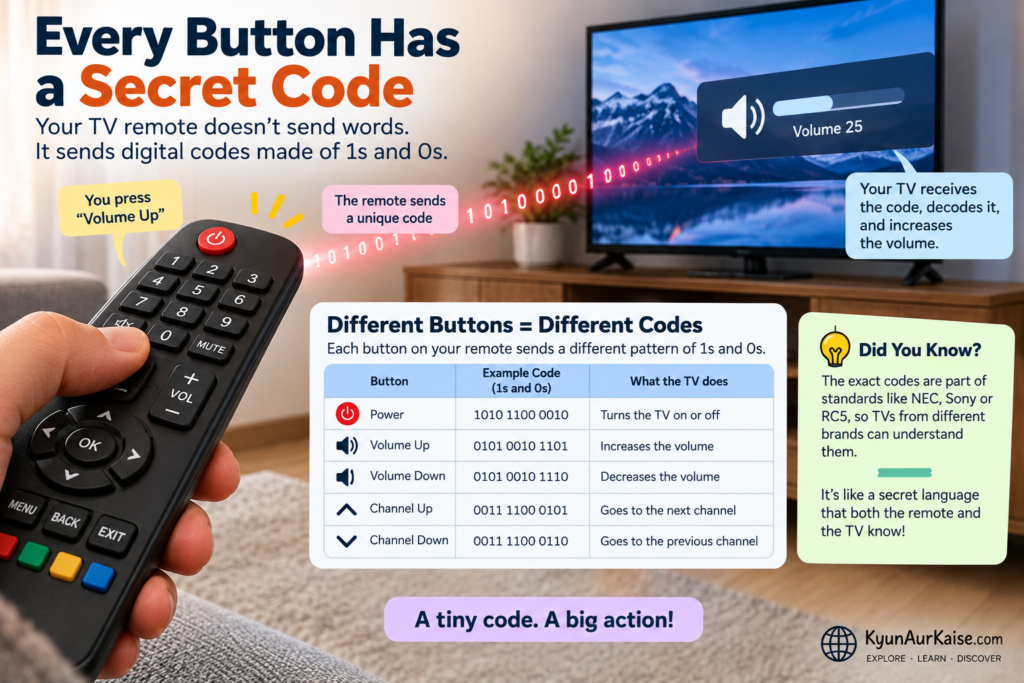
At the front of an infrared remote is a tiny infrared LED.
When you press a button, this LED rapidly switches on and off in a carefully controlled pattern.
Those flashes aren’t random.
They represent information.
The pattern is a code that tells the TV what you want it to do.
But How Does the Remote Know Which Button You Pressed?
This is where the electronics inside the remote come in.
Underneath the buttons is a circuit board containing electrical contacts and a small integrated circuit.
When you press a button, it makes contact with the corresponding part of the circuit.
The remote’s electronics recognize which button was pressed.
Your TV remote isn’t the only everyday device that has to figure out exactly what you want it to do. Learn how a touchscreen knows where you touched and discover how your phone detects the exact spot where your finger lands.
For example:
POWER → send the power command
VOLUME + → send the volume-up command
CHANNEL − → send the channel-down command
The remote then converts that command into a coded sequence that can be transmitted through its infrared LED.
So the button itself doesn’t directly tell the TV anything.
It tells the remote’s tiny computer what message to send.
The Remote Doesn't Just Send "Volume Up"
Here’s where things get even more interesting.
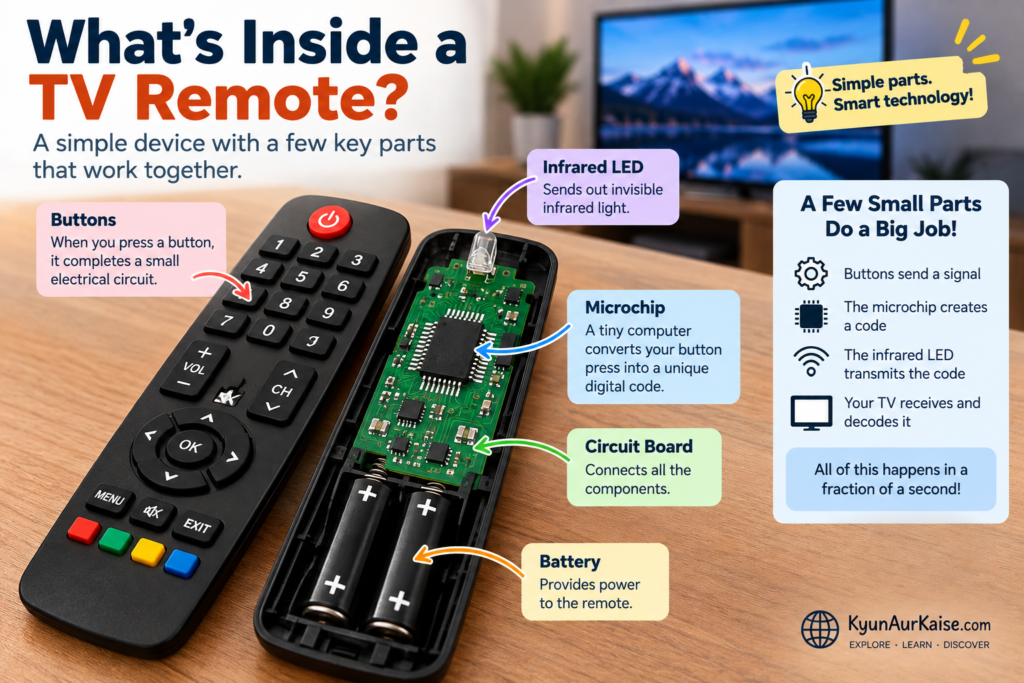
The remote doesn’t simply flash the words:
“VOLUME UP”
in invisible light.
Instead, it sends a carefully structured digital signal.
That signal can contain information such as:
- A starting sequence
- The identity or address of the device
- The command being requested
- Additional information used by the particular remote-control protocol
The TV’s receiver interprets this coded pattern and passes the resulting information to the TV’s electronics.
So the remote is essentially saying:
“This message is for you, and the command is Volume Up.”
The TV then performs the requested action.
How Does the TV Receive the Message?
Look closely at the front of your TV.
You may find a small dark window or sensor somewhere along the bottom edge of the screen.
That’s where the remote’s infrared signal is received on many TVs. The exact location varies between models.
Inside that little sensor is an infrared receiver.
Its job is to detect the rapid pattern of infrared light coming from the remote.
The receiver converts the optical signal into an electrical signal that the TV’s electronics can process.
The TV then figures out:
“What command does this signal represent?”
If the code corresponds to Volume Up, the TV increases the volume.
All of that happens incredibly quickly.
Why Do You Have to Point the Remote at the TV?
This is one of the biggest clues that infrared light is involved.
Traditional infrared remotes generally work best when the remote is pointed toward the TV’s infrared receiver.
That’s because infrared communication relies on the signal reaching the receiver.
If something blocks the path, the signal may not reach the sensor properly.
That’s why a remote may stop working if:
- Something is covering the TV’s sensor
- You put the remote inside a cabinet
- You point it in the opposite direction
- Bright light is interfering with the receiver
Infrared remotes also don’t normally work through walls or around corners in the way radio-based communication can.
That’s why you sometimes find yourself doing the classic:
“Point the remote directly at the TV.”
Can You Actually See the Remote's Invisible Light?
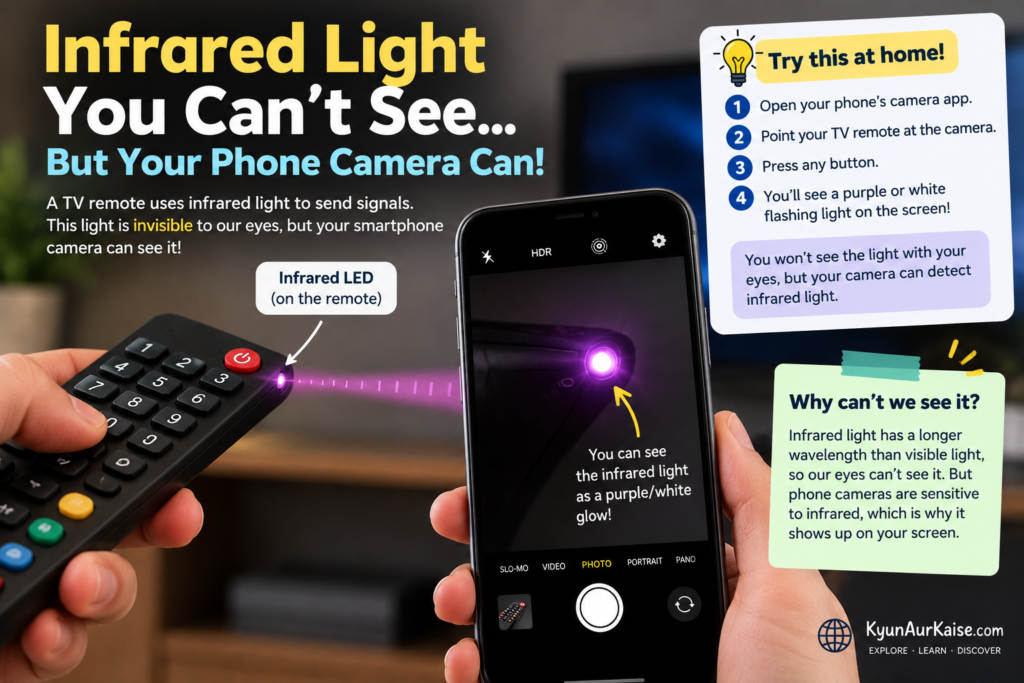
Here’s a fun experiment you can try at home.
Take your TV remote and open your smartphone’s camera.
Point the front of the remote toward the camera.
Now press and hold a button.
If your phone’s camera can detect infrared light, you may see the tiny LED at the end of the remote flashing on the screen.
It may look like a small white, purple, or bluish light.
Your eyes can’t see it—but the camera can.
Sony also recommends using a digital camera or compatible smartphone camera as one way of checking whether an infrared remote is transmitting a signal. However, some modern phone cameras filter infrared, so the test doesn’t work reliably on every smartphone.
Try it yourself.
It makes the invisible part of the technology suddenly visible.
Why Doesn't the TV Get Confused by Other Infrared Light?
There’s a lot of infrared radiation around us.
The Sun produces it. Some artificial light sources can produce infrared energy too.
So why doesn’t your TV constantly interpret random infrared light as remote-control commands?
Because the remote doesn’t simply blast out arbitrary infrared light.
The signal is carefully modulated and coded, and the receiver is designed to look for the appropriate signal characteristics.
This helps separate a remote’s communication from much of the infrared energy coming from the environment.
It’s a little like trying to hear one person talking in a noisy room.
The TV isn’t listening for any infrared light.
It’s looking for a very specific pattern.
What Happens If You Hold Down a Button?
Try holding down the Volume Up button instead of pressing it once.
You’ll notice that the volume may continue increasing.
That’s because the remote can continue transmitting the appropriate command while the button remains pressed, allowing the TV to interpret repeated signals or commands according to the remote’s communication protocol.
This is another example of how the remote isn’t simply sending one meaningless flash of light.
It’s communicating using an organized digital language.
What About Modern Bluetooth TV Remotes?
Here’s something that can be confusing.
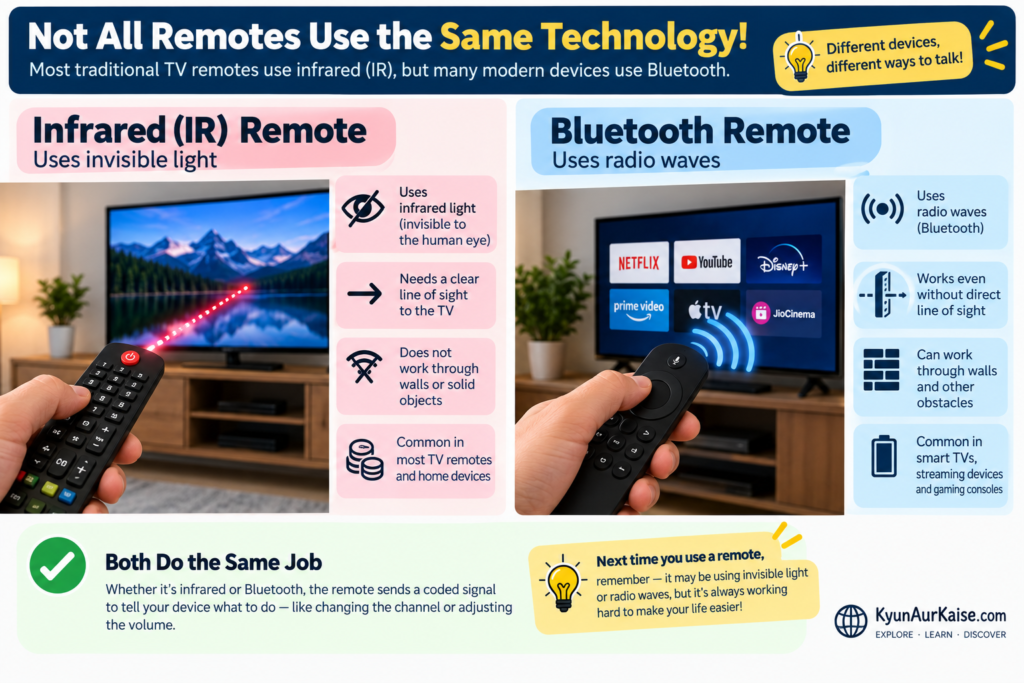
Not every modern TV remote uses infrared for everything.
Many newer smart-TV remotes use Bluetooth or another radio-based wireless connection for some or most of their communication.
Sony, for example, notes that many newer TV remotes use Bluetooth and may use infrared specifically for functions such as power.
This changes how the remote behaves.
A Bluetooth remote doesn’t need the same direct line-of-sight as a traditional infrared remote.
That’s why some modern remotes can work even when they’re not pointed directly at the TV.
Bluetooth is also what allows many wireless devices to communicate without a direct line of sight. If you’re curious about how this technology works with another everyday device, read our article on How Do Bluetooth Earbuds Connect?
So if you’ve ever wondered:
“Why does this remote work even when I point it away from the TV?”
The answer may be:
It’s using radio communication rather than relying entirely on infrared light.
So, Does the Remote Really "Know" What the TV Is Doing?
Not exactly.
The remote doesn’t need to know whether the TV successfully increased the volume.
Its main job is to send the appropriate command.
The TV receives that command and decides what to do with it.
It’s similar to sending someone a text message.
You type:
“Turn up the volume.”
Your phone converts your message into digital information and transmits it.
A TV remote does something much simpler, but the basic idea is similar:
Your action becomes a digital message, and that message travels wirelessly to another device.
The Whole Process in One Simple Diagram
Here’s the entire journey:
You press a button
↓
The remote’s circuit identifies the button
↓
The remote creates a coded command
↓
The infrared LED sends pulses of invisible light
↓
The TV’s infrared sensor detects the pulses
↓
The TV decodes the signal
↓
The TV recognizes the command
↓
The TV performs the action
Volume goes up.
And all of this can happen in a tiny fraction of a second.
The Next Time You Use Your Remote...
Take a moment to look at it differently.
That little plastic device isn’t simply sending a generic “change something” signal.
When you press a button, its electronics identify your command, convert it into a coded wireless signal, and transmit that information to the TV.
With traditional infrared remotes, the message travels as rapid pulses of invisible light.
The TV’s sensor catches those pulses, decodes the pattern, and turns your command into an action.
So the next time you press Volume Up, remember:
Your remote isn’t magically telling the TV what to do.
It’s sending a tiny coded message through invisible light—and your TV knows how to read it.